

Building Hoi’s Flight Booking Experience
UI UX Case Study | B2C Flight Booking
Building Trust to Drive Flight Bookings
Hoi had a airport customer base, but the challenge was to bring users onto the platform earlier in their journey and enable them to discover and book flights.
Product Design
B2C Users
Trust & Safety
Design Thinking
Role
Product Designer
Platform
B2C
Year
2026
Role & Contribution
Increase flight booking conversion by using persuasive value cues—such as earning points, exclusive benefits, or added rewards at key decision points, encouraging users to move seamlessly through the booking journey from flight selection to payment.
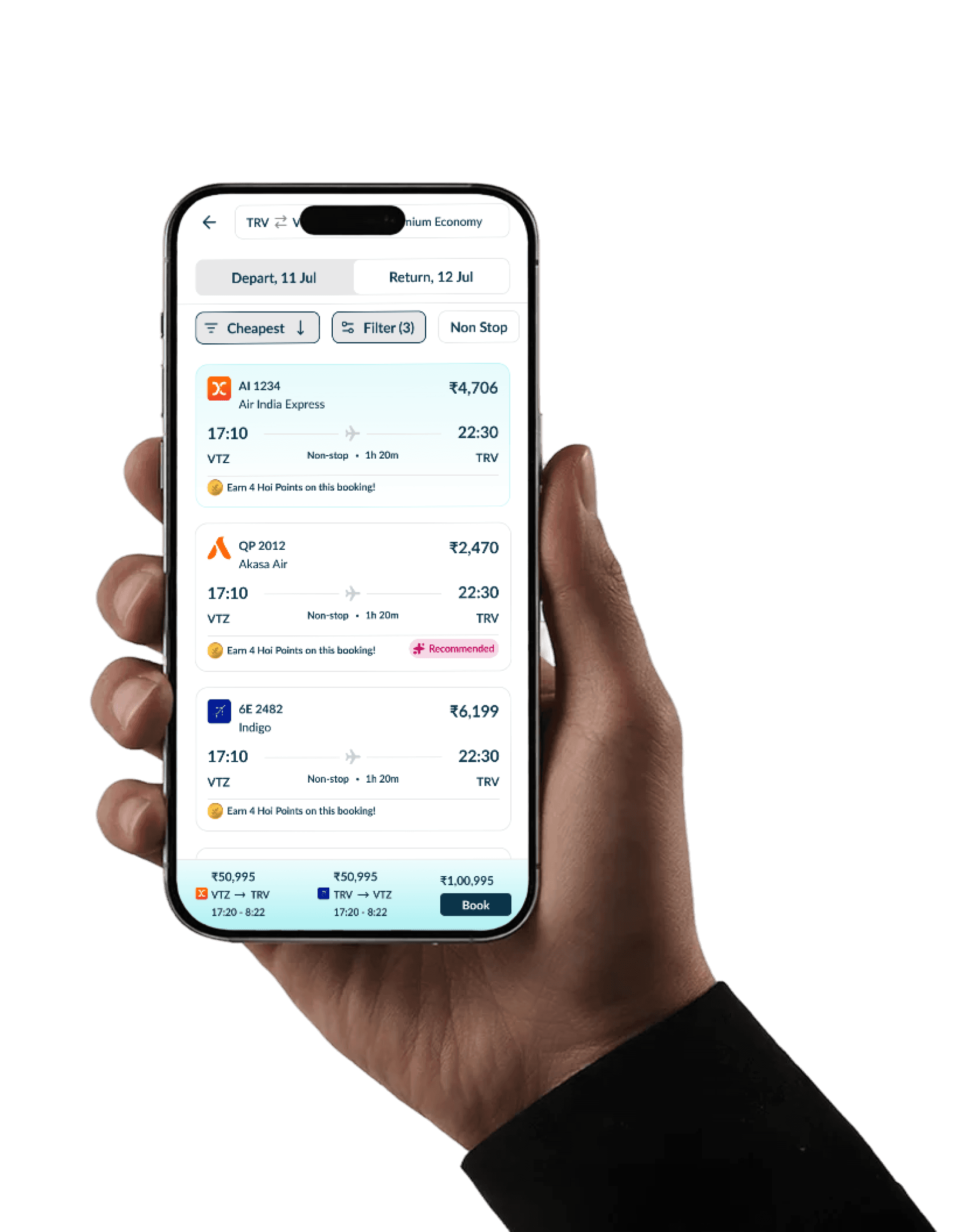
Expanding Hoi’s user base to Unlock Flight Booking
To encourage users to book flights on Hoi, we introduced a clear differentiator: Zero Convenience Fee. Users would see the same promise throughout the journey—with no surprise charges added at checkout—helping build transparency and trust at the most critical moment of booking.
Overview

Trust First Travellers
Existing Hoi users who already rely on Hoi for airport services and are familiar with the brand.

Value Conscious Bookers
Travellers who compare prices and are sensitive to additional fees, looking for a transparent and trustworthy booking experience.
KEY CHALLENGES
Research Outcomes & Findings
Round-trip booking adds complexity by requiring users to select and compare both departure and return flights.
Price transparency is critical — unexpected convenience fees at checkout can create distrust and abandonment.
Users need clear fare information upfront, including baggage, cancellation and refund conditions.
Comparing multiple flights can become overwhelming when price, duration, stops and timings compete for attention.
Users often want confidence that they are getting the best available deal before committing to payment.
The checkout experience needs to reinforce Hoi’s Zero Convenience Fee promise so users know there are no surprise charges.
Benchmarking
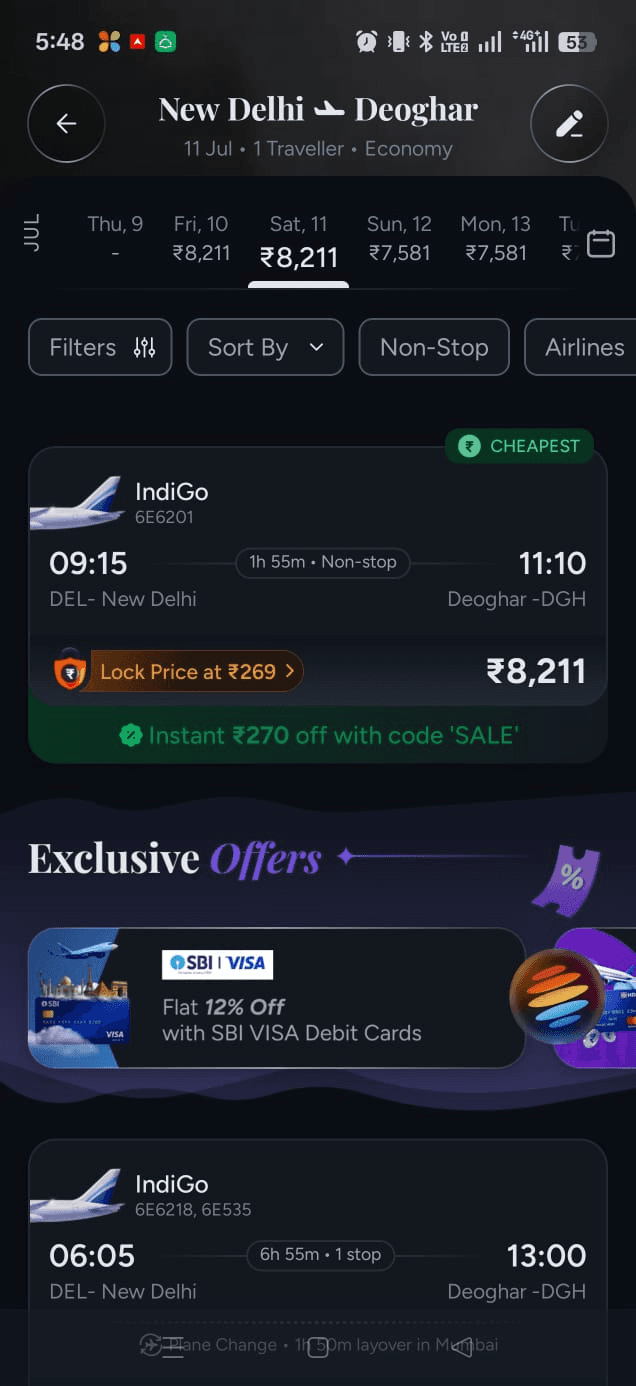
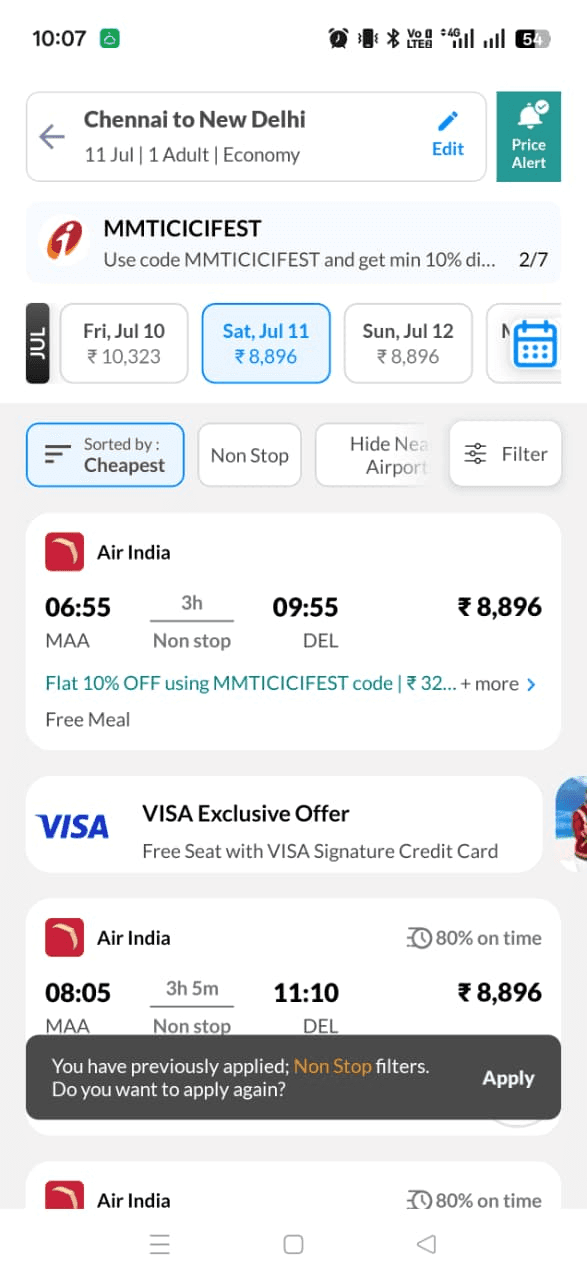
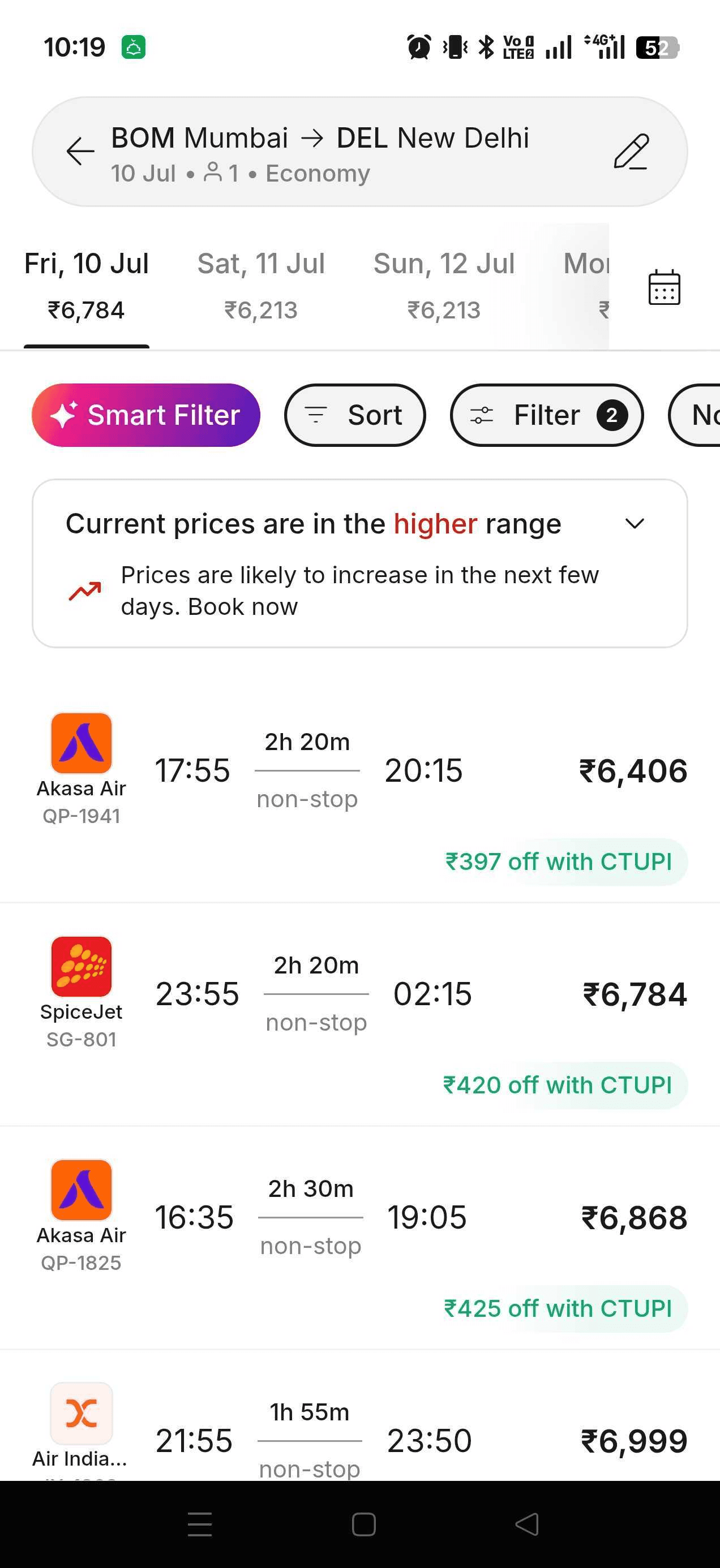
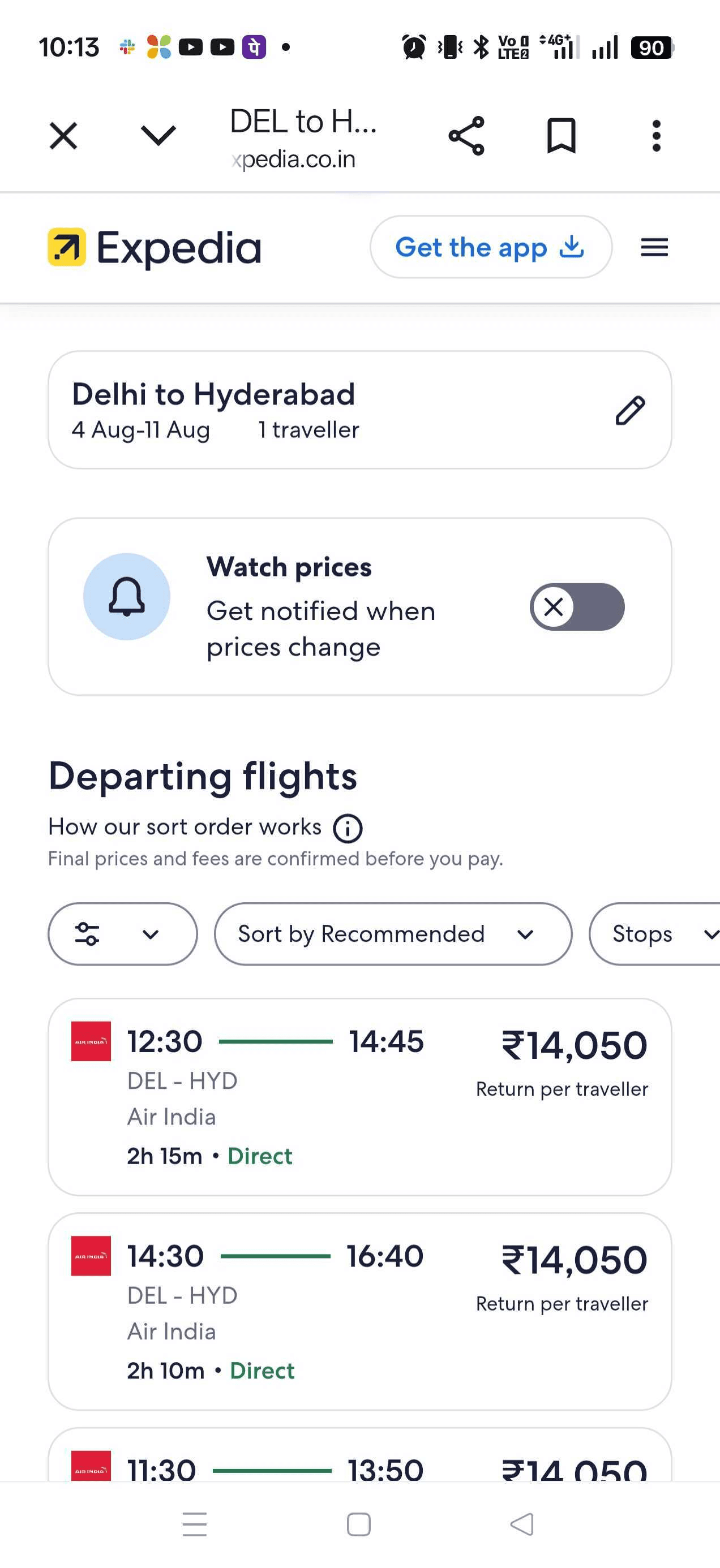
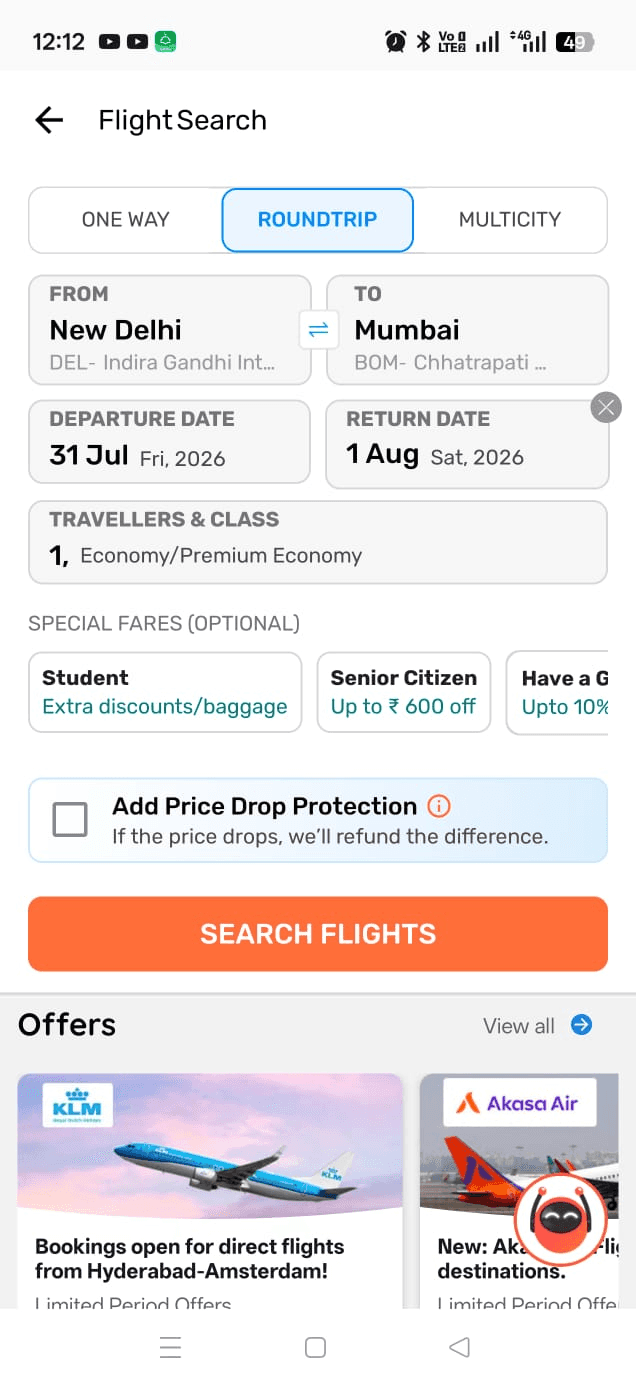
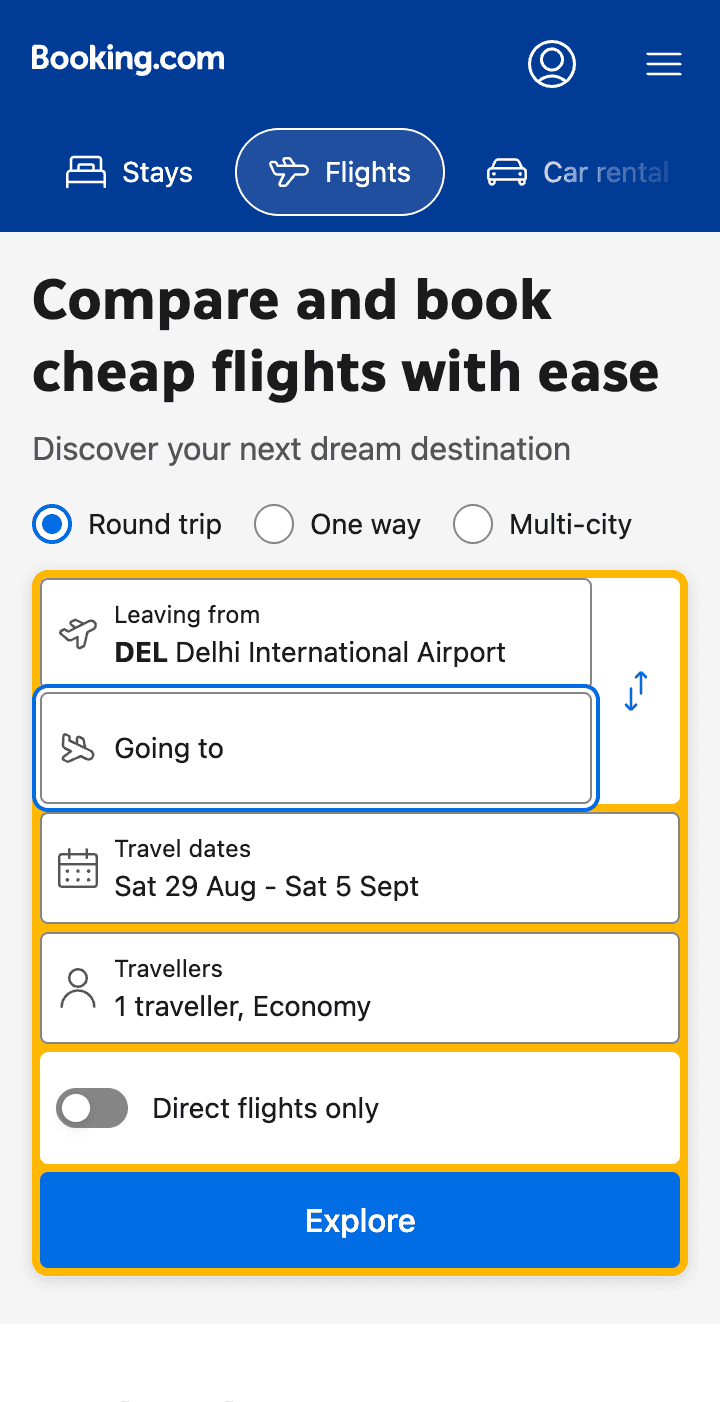
We conducted a thorough competitor audit to understand industry best practices, identify gaps, and uncover opportunities to create a more effortless flight booking experience for Hoi users.
Design Strategy
Simplify Round-Trip Navigation - Make the round-trip booking experience intuitive and easy to navigate, reducing cognitive load when selecting departure and return flights.
Create Confidence at Flight Selection - Use relevant persuasion and decision making cues on flight cards to help users understand the value and confidently move to the next step.
Communicate Why Book with Us - Clearly highlight our key benefits, especially Zero Convenience Fee to build trust and give users a compelling reason to book with us.
Cleartrip, MMT, Expedia and others
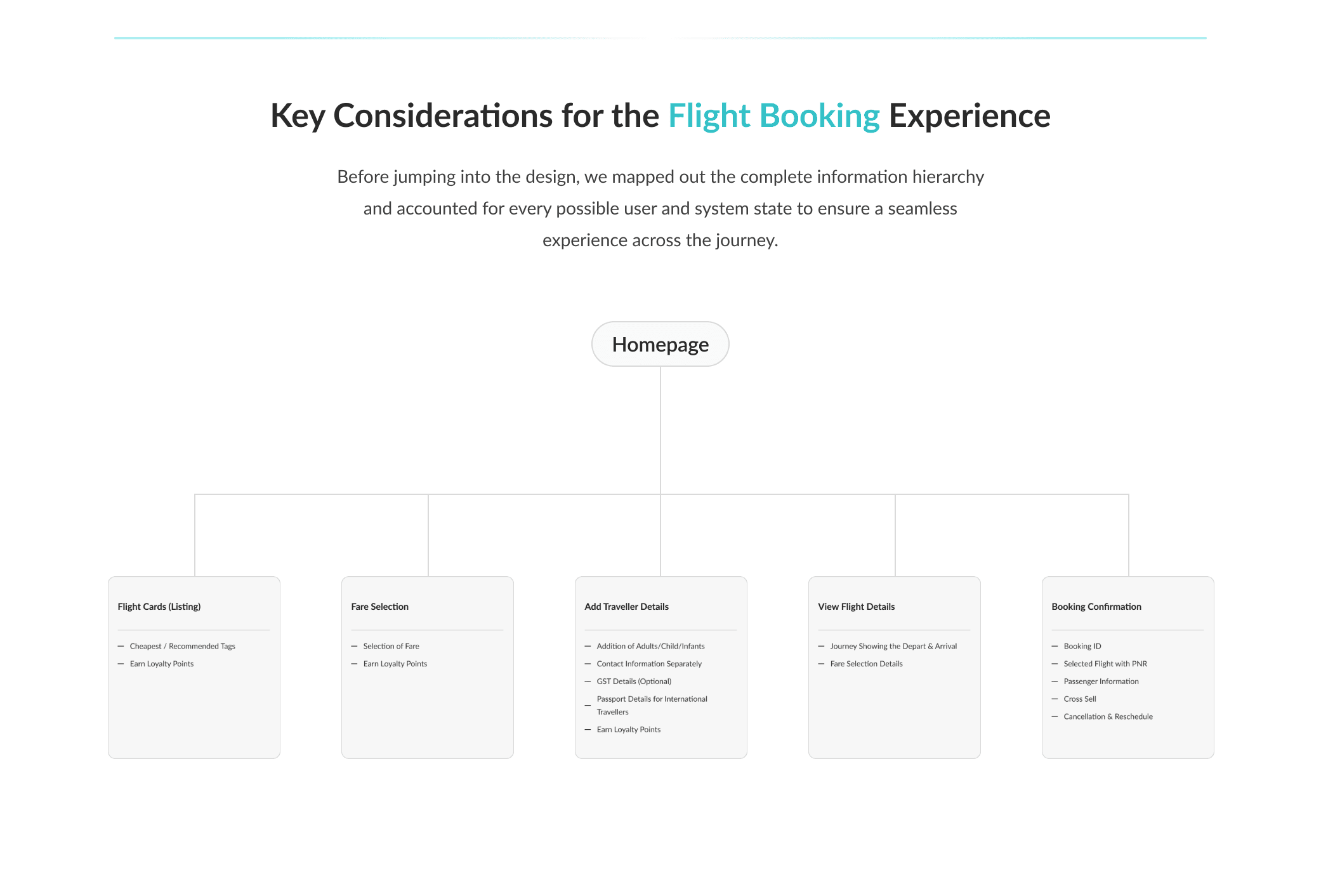
ROUND TRIP FLOW
1. Simplifying Booking: Less Hassle, More Confidence
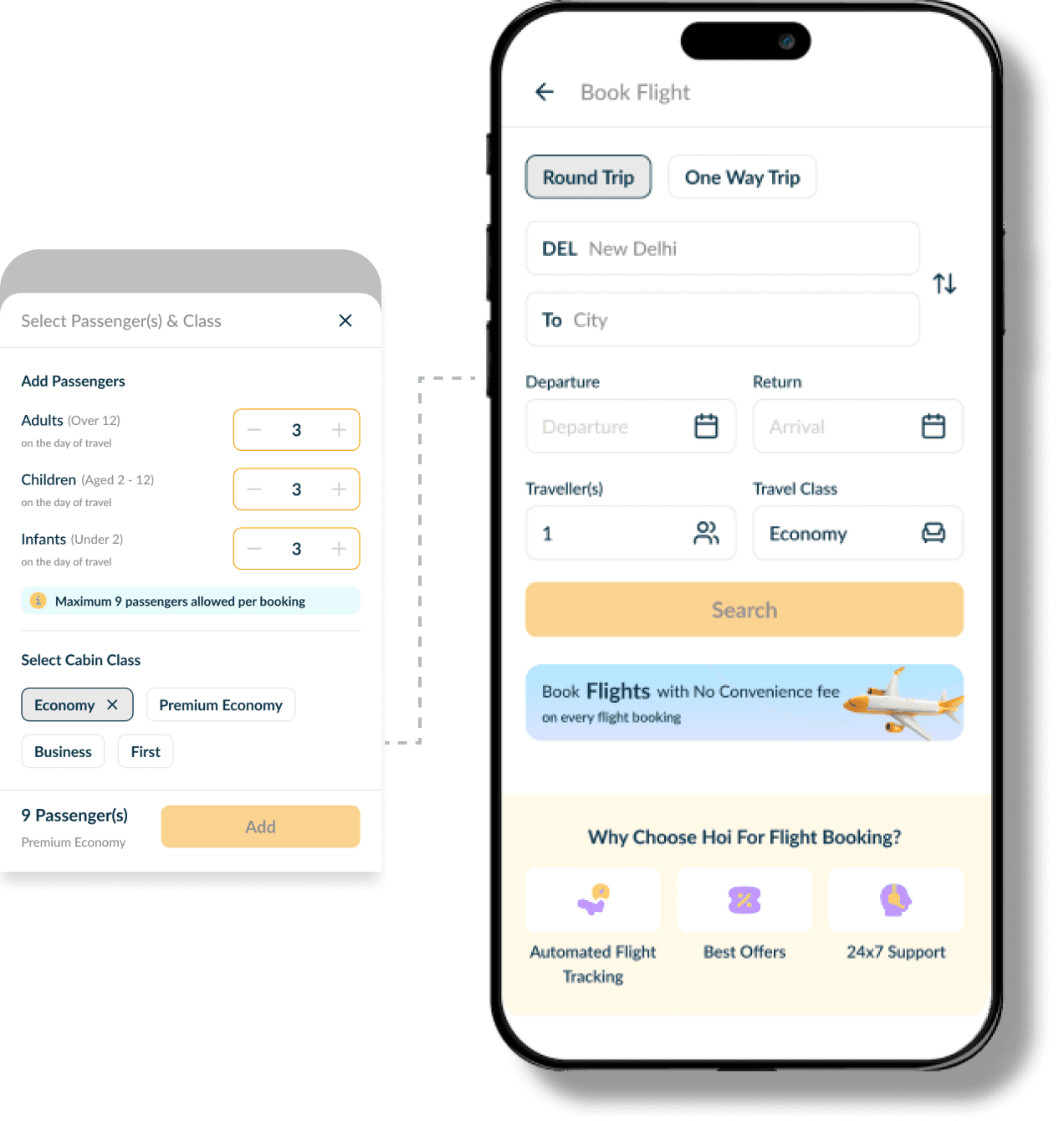
We clearly separated the One Way and Round Trip journeys to make flight selection easier. We also introduced a Loyalty section to build persuasion and encourage booking, along with a dedicated section highlighting why users should choose Hoi for their flight bookings. Merged Add Travellers and Class into a single section to reduce clicks and simplify the booking flow.
Capturing Passenger and Cabin Class in one go to avoid multiple clicks
Rethinking Flight Information
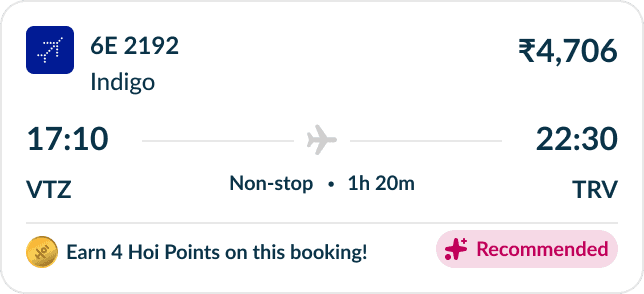
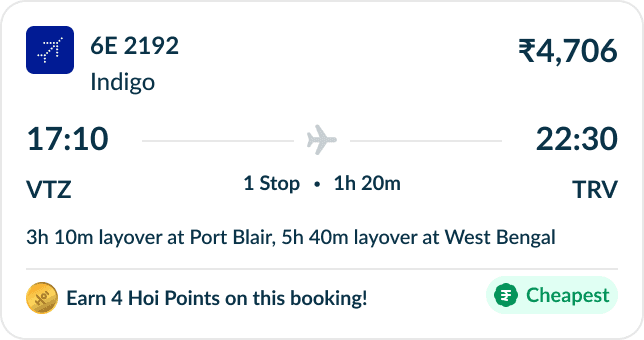
We designed dedicated One Way and Round Trip flight cards while also accounting for layover scenarios, ensuring a consistent and clear experience across different flight journeys.
Without Layover | Recommended
With Layover | Cheapest
If user tried to edit by tapping on the header - take them to populated search page
Animation not in loop - play once and then allow user to swipe and select
Clear Information on Flight Listing
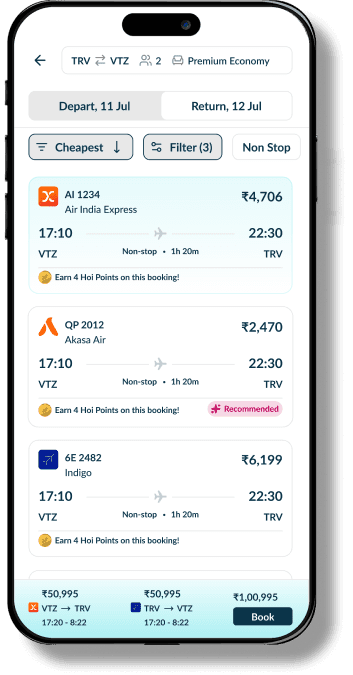
We clearly separated Departure and Arrival using a toggle, avoiding a single page layout with both flight selections to prevent a cluttered experience. After exploring multiple card iterations, we arrived at a cleaner design where users can quickly identify Cheapest and Recommended flights through clear tags. We also introduced combo offers, combining the best options based on price and recommendation.
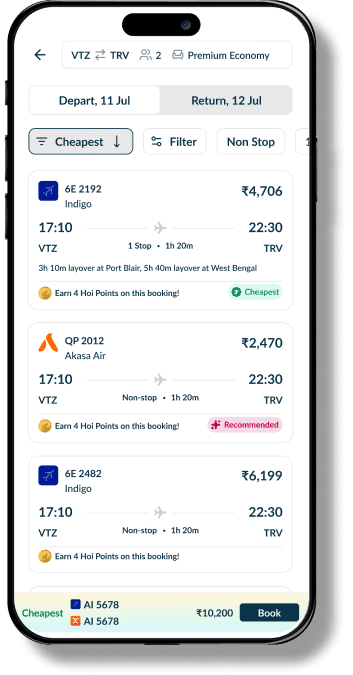
Total Price of both the flights
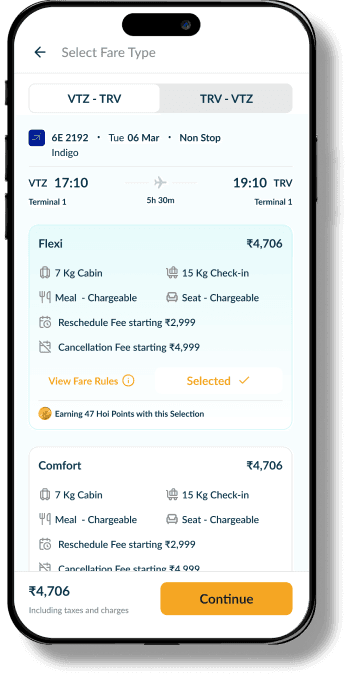
Select your Fare and View Selected Flights
After selecting a fare for a flight, the user returns to the main flight listing screen. Both the onward and return flights are now selected, and the screen displays the individual fare for each flight along with the combined total price.
Persuasive incentives
Adding Traveller & View Detail Info
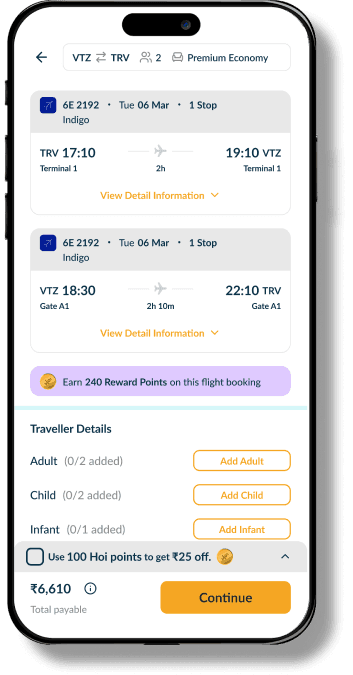
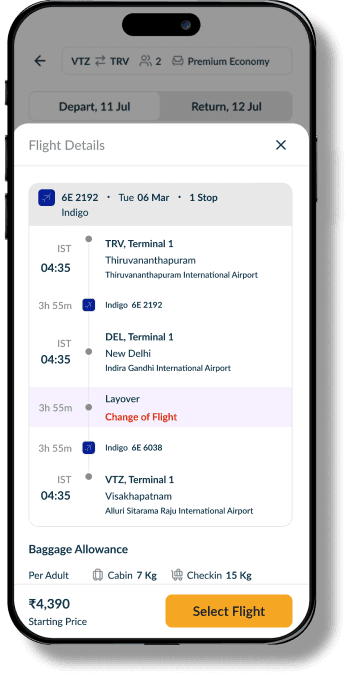
After selecting flights, users can review their chosen flights before entering traveller details based on Adults, Children, and Infants. We also clearly communicate the loyalty points they’ll earn with the booking, giving users an added incentive to complete the journey and move to the next step.
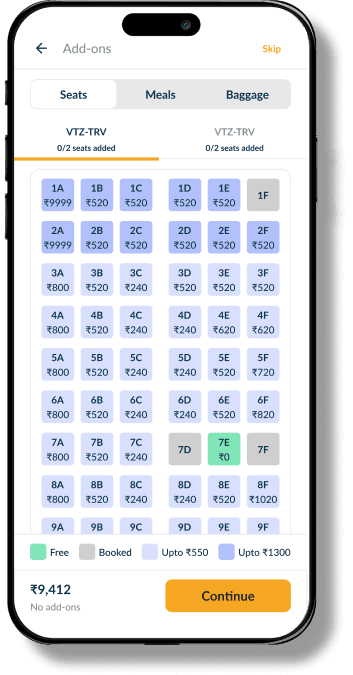
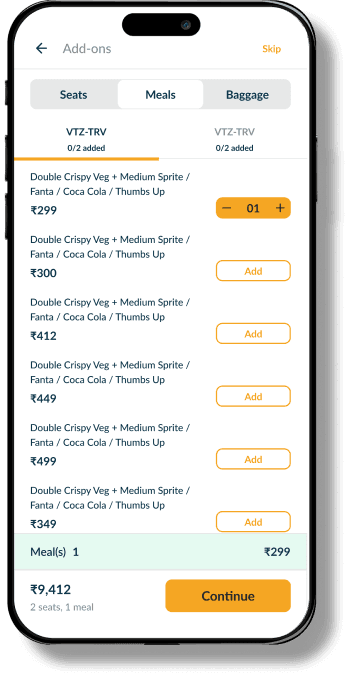
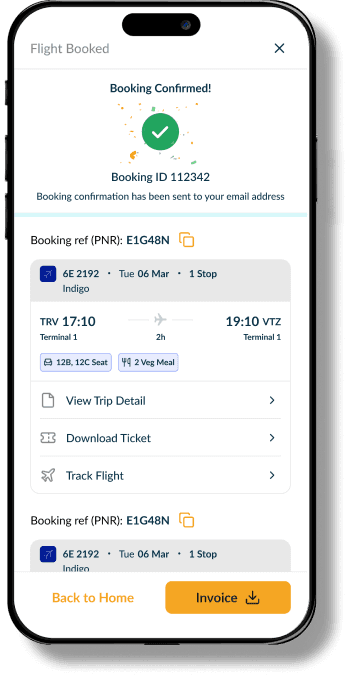
Add Ons & Booking Confirmation
Users can easily select their Meal, Seat, and Luggage preferences, with separate tabs for the Onward and Return journeys. Selected add-ons and their corresponding costs are clearly summarised at the bottom, giving users better visibility before proceeding.
On the confirmation page, we clearly highlight the PNR, flight details, and total loyalty points earned from the booking. We also introduced a cross-sell section featuring relevant travel services to encourage further engagement and drive additional conversions.
Next Steps
Monitor the booking funnel to identify drop-off points and understand where users face friction. Use these insights to prioritise improvements, test solutions, and continuously optimise the flight booking experience.
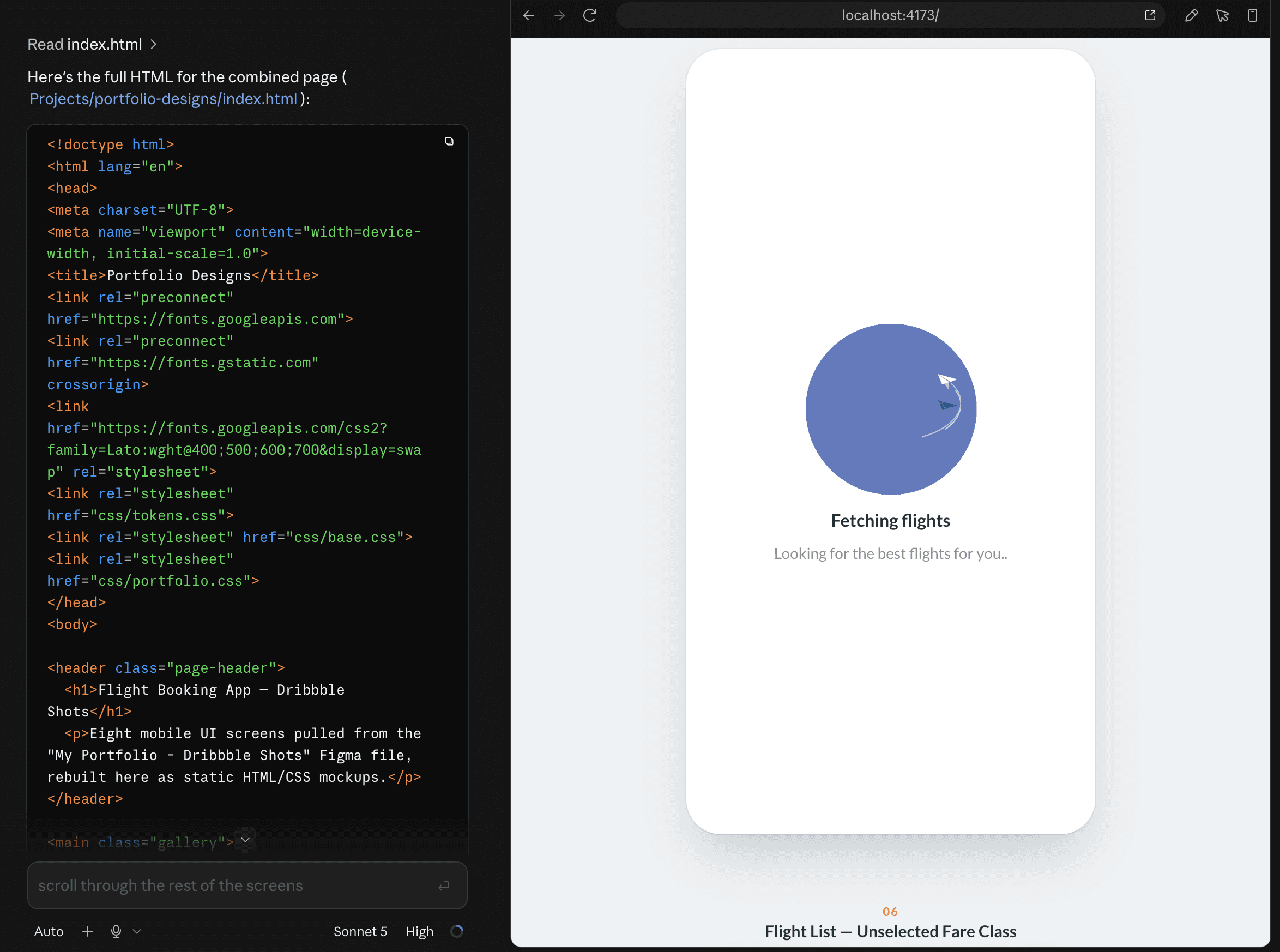
Hand On Figma MCP Claude Code
I wanted to explore AI-assisted development hands-on, so I connected Claude Code to my Figma designs and started vibe coding the experience. Using the designs as a starting point, I experimented with translating layouts, components, and interactions into working code iterating between Figma and the browser to refine the experience.
Figma → Claude Code → Vibe Coding → Working Prototype
Currently based in Delhi. Always happy to connect